
Big Keyboard: Easy Homescreen
SwipeTap AppsPersonalization
4.54.70K Reviews
- Version
- 1.2.09
- Installs
- 1.00M
- Age Rating
- Everyone
Screenshots
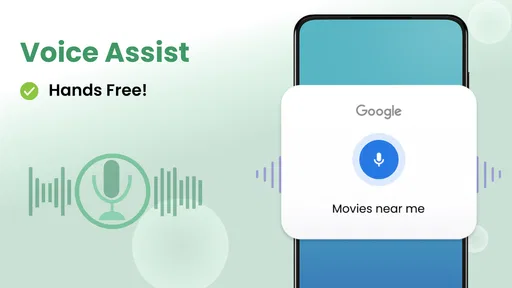
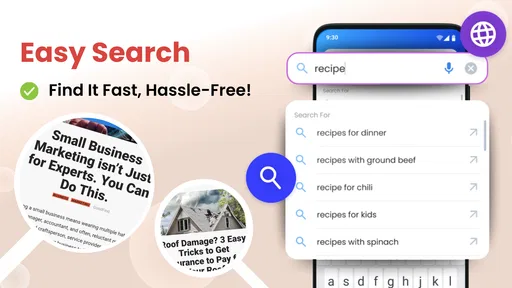
Our Review of Big Keyboard: Easy Homescreen
 Analysis by Appyee
Have you ever found yourself squinting at your phone, trying to hit the right keys? Enter Big Keyboard: Easy Homescreen, an app that’s here to make typing a breeze for those of us with less-than-perfect vision or just big thumbs. I’ve taken this app for a spin and here’s what I found.
The first-week appeal: bigger targets, less guesswork
The appeal is easy to understand as soon as you start typing: larger keys give your fingers more room, and that can make short messages feel less fiddly. If you often correct one-letter mistakes or pause to aim at a small key, a roomier layout may help you settle into typing with more confidence. I’d think of this as a practical comfort change, rather than a dramatic overhaul of how a phone works.
That first impression is particularly relevant for people whose eyesight or dexterity makes a standard keyboard tiring. It may also suit someone who uses a phone one-handed and tends to miss narrow keys while walking between tasks—though I’d still avoid typing while moving. A larger keyboard can make the target easier to reach, but it doesn’t remove the need to pay attention to your surroundings.
First Impressions
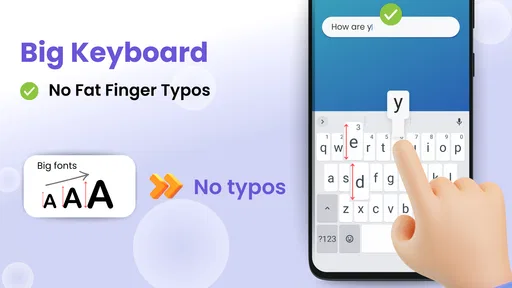
Right off the bat, Big Keyboard: Easy Homescreen lives up to its name. It’s like your regular keyboard went to the gym and bulked up. The keys are large and easy to press, which is a game-changer if you’re tired of making typos. The setup was straightforward – just download, install, and you’re ready to go. No rocket science involved!
Features That Stand Out
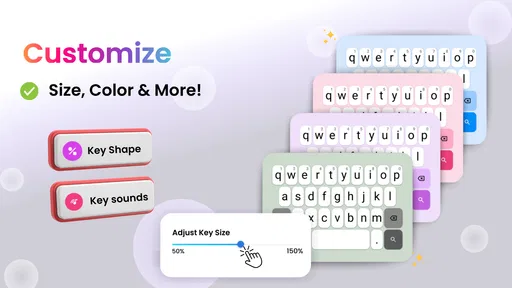
One of the things I love about this app is its customization options. You can tweak the size of the keys to fit your needs exactly. Not only can you adjust the size, but you also have control over the themes. Whether you’re into something sleek and minimalistic or bright and colorful, there’s a theme for you. And let’s not forget about the predictive text feature, which is surprisingly accurate. It’s like the app knows what you’re about to say before you do!
Another cool feature is the integrated emoji keyboard. With a quick swipe, you can access a world of emojis, making your texts much more expressive. It’s like having an emoji party at your fingertips.
Making the keyboard fit your routine
The useful choice is not simply to make every key as large as possible. I’d start with a comfortable size, then test it in the apps where I type most: a messaging conversation, a search box, and a longer note or email. A size that feels reassuring for a quick text can take up more of the screen than you want when composing a paragraph. Finding a middle ground helps preserve the benefit without making every typing session feel cramped.
The theme controls can also be approached as a readability tool, not just decoration. I’d pick a look that makes the key labels easy to distinguish in the lighting where I usually use my phone, then leave it alone for a few days. Constantly changing colors can make it harder to build a steady visual habit. The goal is a layout your hands and eyes recognize without extra effort.
Predictive text can save effort, but I wouldn’t treat it as a substitute for checking a message. Names, unusual terms, and brief replies are the kinds of things that can make a suggested completion less useful. A sensible workflow is to accept suggestions when they clearly match what you mean and pause over anything that could change the tone or meaning. For an important email, a quick reread is still worthwhile.
Performance and Usability
In terms of performance, the app runs smoothly without lag. It’s lightweight, so it doesn’t hog your phone’s resources. I found that it works seamlessly across different apps, from messaging to emails. The user interface is intuitive, and even if you’re not tech-savvy, you’ll find navigating the settings a piece of cake.
What really impressed me was the app’s responsiveness. The touch input is precise, reducing the chances of hitting the wrong key. It’s perfect for anyone who’s been frustrated with tiny keyboards in the past.
What changes after the novelty fades
The longer-term question is whether the larger layout solves a recurring annoyance or merely feels different for a day. If misplaced taps happen often, a keyboard you can tune to your preferences may earn a regular place in your routine. If you rarely make typing errors, the extra screen space used by bigger keys may become more noticeable than the improvement. I’d judge it by whether you spend less time correcting text during an ordinary week, not by how striking the change feels at first.
A realistic test is a busy morning: you’re replying to a family message, searching for an address, then sending a short work update. The app’s larger keys and emoji access may make the first two tasks more comfortable, while predictive text can help with familiar phrases. But if the keyboard feels too tall or crowds the text you’re writing, reducing the key size may be a better adjustment than abandoning it immediately. Try the same routine for several days before deciding whether the balance works for you.
How it compares with familiar keyboard choices
Most people already have a keyboard built into their phone, and those default options are often the easiest choice if you like a compact layout, established habits, or a familiar set of controls. Big Keyboard: Easy Homescreen is more compelling when the usual keyboard feels physically too small and changing key size is a priority. Rather than choosing it because it promises a completely new typing style, I’d choose it for that specific comfort need.
It is also worth separating keyboard needs from broader home-screen needs. The app’s name and personalization focus may attract people looking for a simpler phone experience, but the reason to keep using it should be the parts that help during actual typing. If you mainly want to reorganize icons or change a wallpaper, a dedicated home-screen customization option may be a closer match. If your main frustration is hitting tiny letters, a keyboard-focused adjustment is the more direct route.
Maintenance, compatibility, and everyday trade-offs
There is little value in tailoring a keyboard once and then repeatedly changing it without a reason. I’d settle on a key size and theme, use them in the same common tasks, and revisit the settings only if a real problem appears. That keeps customization from becoming another small job to manage. The recurring benefit should be easier typing, not a need to keep tuning the interface.
Before switching to any alternative keyboard, it’s sensible to check that it works with the phone and operating system you use. This app’s minimum operating system is version 12, so that is a practical compatibility point to consider before installing. Once it is in use, test it in the places where you type most rather than assuming that one successful message proves it suits every task.
One trade-off of larger keys is that they can leave less room to see the conversation or document above them. That matters when editing a longer message, comparing details, or correcting a sentence while keeping the previous lines visible. In those moments, I’d favor a smaller setting if it gives me a better view of the text. Bigger is helpful only up to the point where it improves accuracy without making the rest of the screen awkward.
Who will benefit the most?
This app is ideal for seniors or anyone who struggles with small keyboards due to vision issues or dexterity challenges. It’s also great for those who simply prefer a larger keyboard experience. If you’re constantly on the go and need a reliable keyboard that doesn’t slow you down, this app is worth considering.
I’d be less likely to recommend it to someone who is happy with the compact keyboard already on their phone, types long passages and values maximum screen space, or wants an extensive home-screen redesign rather than a more comfortable keyboard. It may also not be the best fit if you expect a larger layout alone to solve every typing problem; attention, autocorrection, and the visibility of what you are composing still matter.
Month-to-month value and the reasons to move on
Big Keyboard: Easy Homescreen is a free personalization app from SwipeTap Apps, with an Everyone age rating. It has a 4.5 average from around 26,000 ratings, and more than a million installs. Those figures suggest that many people have tried it, but I’d still make the decision based on the feel of the keyboard on your own device. Popularity cannot tell you whether your preferred key size will leave enough room for the apps you use.
The app was released on December 21, 2023, and its current version is 1.1.36. Those details are useful context, but the everyday test remains simple: does it make common typing tasks more comfortable without creating new friction? The most likely source of fatigue is not the idea of large keys itself; it is keeping a layout that takes too much space, or relying on suggestions without checking whether they fit. Small, deliberate adjustments are more sustainable than expecting one setting to suit every situation.
After the first week, I’d keep it only if I noticed a repeatable improvement: fewer missed taps, less squinting, or less effort when sending routine messages. If those changes are real for you, the app can earn its place through a modest but frequent convenience. If the keyboard feels bulky and you are not making fewer corrections, returning to your usual option is a reasonable choice. There is no benefit in keeping a personalization app simply because it was interesting to try.
So, if you’re ready to ditch the squinting and typos, give Big Keyboard: Easy Homescreen a try. It’s a simple yet effective solution that makes typing more enjoyable and efficient. Happy texting!
Privacy and Permissions
See what permissions an app requests and how it handles your data.
- Contacts
- read your contacts
- Camera
- take pictures and videos
- Microphone
- record audio
- Wi-Fi connection information
- view Wi-Fi connections
- Other
- view network connections, full network access, read terms you added to the dictionary, set wallpaper, control vibration, prevent device from sleeping, add words to user-defined dictionary, set an alarm, Google Play license check
Verdict
Strengths of Big Keyboard: Easy Homescreen
- Enhances typing speed with large keys.
- Customizable themes for personal style.
- Supports multiple languages efficiently.
- Integrates smoothly with most apps.
- Offers voice typing for hands-free use.
Limitations of Big Keyboard: Easy Homescreen
- May consume more battery life.
- Limited emoji options available.
- Takes up more screen space.
- Occasional lag on older devices.
- Ads can disrupt user experience.
Similar Picks in This Category
View All
Microsoft SwiftKey AI Keyboard
SwiftKey4.3

Wallpapers
Google LLC4.1

Zedge™ Wallpapers & Ringtones
Zedge4.7

Yandex Browser with Alice AI
Direct Cursus Computer Systems Trading LLC4.3

Ringtone Maker:create ringtone
Big Bang Inc.4.7

Fonts Keyboard
Fonts Keyboard3.9
Frequently Asked Questions
What is Big Keyboard: Easy Homescreen and who is it for?
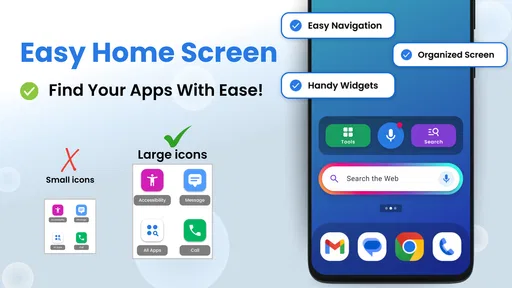
Big Keyboard: Easy Homescreen is an application designed to enhance the user experience by providing a larger, more accessible keyboard. It's particularly beneficial for individuals with visual impairments or those who find standard keyboard sizes challenging to use. The app also simplifies the homescreen layout, making navigation easier.
How does Big Keyboard: Easy Homescreen improve accessibility on my device?
The app increases the size of the keyboard keys, making them easier to see and press. It also offers customizable color schemes and layouts to improve visibility and personalization. Additionally, the simplified homescreen layout reduces clutter, allowing users to access apps and features more efficiently.
Is Big Keyboard: Easy Homescreen compatible with all Android and iOS devices?
Big Keyboard: Easy Homescreen is compatible with most Android and iOS devices. However, it's recommended to check the app's specific requirements on the Google Play Store or Apple App Store to ensure compatibility with your device's operating system version and hardware specifications.
Does Big Keyboard: Easy Homescreen affect the performance of my device?
The app is designed to run smoothly without significantly impacting device performance. It uses minimal resources to ensure that your device's speed and battery life remain largely unaffected. Regular updates are provided to optimize performance and address any potential issues.
Are there any customization options available in Big Keyboard: Easy Homescreen?
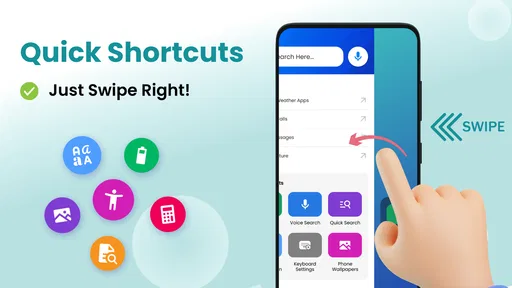
Yes, the app offers a variety of customization options. Users can adjust the size and color of the keyboard keys, choose different themes for the homescreen, and personalize shortcuts for frequently used apps. These features allow users to tailor the app to their specific needs and preferences.
